
How to Improve Structured Content Quality in Cursor With Markup AI
 •
November 18, 2025
•
November 18, 2025
Key takeaways:
- Markup AI integrates directly with Cursor so developers can run structured content quality checks without leaving their editor.
- Teams can automatically check, score, and rewrite documentation against company terminology, style, and compliance rules.
- Developers can fix clarity, tone, and terminology issues instantly instead of sending documentation through long editorial review cycles.
- Using Markup AI inside Cursor reduces review back-and-forth while improving the consistency and professionalism of technical documentation.
- The integration can be configured in minutes and turns Cursor into a unified workspace for both code and high-quality documentation.
How can developers bring structured content quality checks into their workflow?
Hey everyone, it’s Tony from Markup AI again. I want to talk about a workflow that’s so powerful, it feels like we’re finally closing a loop that has been open for years in the developer world. If you’re a developer, you’ve probably had this thought: “I wish I could focus more on building and less on writing.” And with the rise of AI-native tools, that wish is coming true for your code. But what about the words around the code? What about your documentation, your README files, your blog posts?
That’s where things get really exciting. In today’s world, your README is often the first impression someone has of your project. Your technical docs are the difference between a user succeeding with your API or giving up in frustration. The quality of this content matters just as much as the quality of your code. So, what if your AI-powered code editor could also be your AI-powered content editor?
That’s exactly what we’ve done by integrating Markup AI directly into Cursor. Get ready to see how your favorite AI-first editor can become your secret weapon for creating world-class technical content.
What’s Cursor and why are developers using it?
If you haven’t tried Cursor yet, you’re missing out. At first glance, it looks and feels like VS Code, which is great because it’s familiar. But under the hood, it’s a completely different beast. Cursor is an AI-first code editor, designed from the ground up to be your coding assistant.
Developers are flocking to it because it seamlessly integrates AI into the everyday workflow. You can chat with your entire codebase, asking it to explain a complex function or track down a bug. You can generate, edit, and debug code with simple, natural language prompts. It’s not just about autocompleting a line of code; it’s about having an intelligent partner that understands the context of your project and helps you work faster and smarter. In short, Cursor is for developers who want to stay in a state of flow and let AI handle the heavy lifting.
What’s Markup AI and how does it improve structured content quality?
So, if Cursor is the AI co-pilot for your code, Markup AI is the AI co-pilot for your content. We’re a content intelligence platform built on a simple but incredibly powerful framework: Check, Score, and Rewrite.
Here’s what that means for you:
Check: Enforce style guides and terminology
Markup AI programmatically scans your text against your organization’s unique set of rules. This goes way beyond a simple spell check. We’re talking about enforcing your brand’s official style guide, ensuring correct terminology for your products, and flagging phrases that might pose a compliance risk. Is it “log in,” “login,” or “log-in”? What are our official brand and technology terms? Markup AI knows the answer and checks for it instantly.
Score: Measure content quality with data
Once the check is complete, you get an objective, data-driven quality score. This is huge for maintaining consistency, especially across large projects or teams. It gamifies the quality process and gives you a clear benchmark to aim for before you merge a pull request or hit publish.
Rewrite: Improve clarity and tone automatically
This is where the real magic comes in. Markup AI doesn’t just point out your mistakes; it helps you fix them. Our Content Guardian Agents℠ can provide smart suggestions to improve clarity and flow, or even rewrite entire passages to better match your desired tone of voice—whether that’s professional, technical, or friendly. It’s like having a senior editor on your team, available 24/7.
This whole system is accessible via our Markup Content Platform (MCP), an API that allows this intelligence to be plugged into any tool. And that brings us to Cursor.
How does the Markup AI integration work inside Cursor?
Integrating Markup AI into Cursor transforms your development environment into a holistic creation space. The setup is a breeze. You just navigate to Cursor’s settings, find the MCP section, and add a custom server using a simple JSON configuration. This pulls our server from GitHub and, after you add your personal API key from your Markup AI console, you’re done.
Instantly, you’ll have three new superpowers at your fingertips, right within your editor: check, suggestions, and rewrite.
Imagine this workflow: you’re a developer working on a new feature. You’ve written the code, and now you’re updating technical documentation. Normally, this is where the friction begins. You write a draft, then you have to send it over to a technical writer or the marketing team for a review. They send back a Google Doc with a bunch of comments, you make the changes, send it back… you know the drill. It’s slow, and it pulls you out of your editor and your flow state.
How to improve structured content quality in Cursor with Markup AI (step-by-step)
Step 1: Open Cursor settings
Navigate to Cursor’s settings and locate the MCP section.
Step 2: Add the Markup AI MCP server
Add a custom server using the JSON configuration provided by Markup AI. This connects your editor to the content intelligence engine.
Step 3: Connect your Markup AI API key
Paste your personal API key from the Markup AI console. This authenticates your account and enables all features.
Step 4: Use check, suggestions, and rewrite inside the editor
Highlight text in Cursor:
- Check provides a quality score and flags terminology or style violations
- Suggestions show improved ways to phrase sentences
- Rewrite polishes paragraphs to match your brand’s tone and clarity standards
What can developers improve with Markup AI in Cursor?
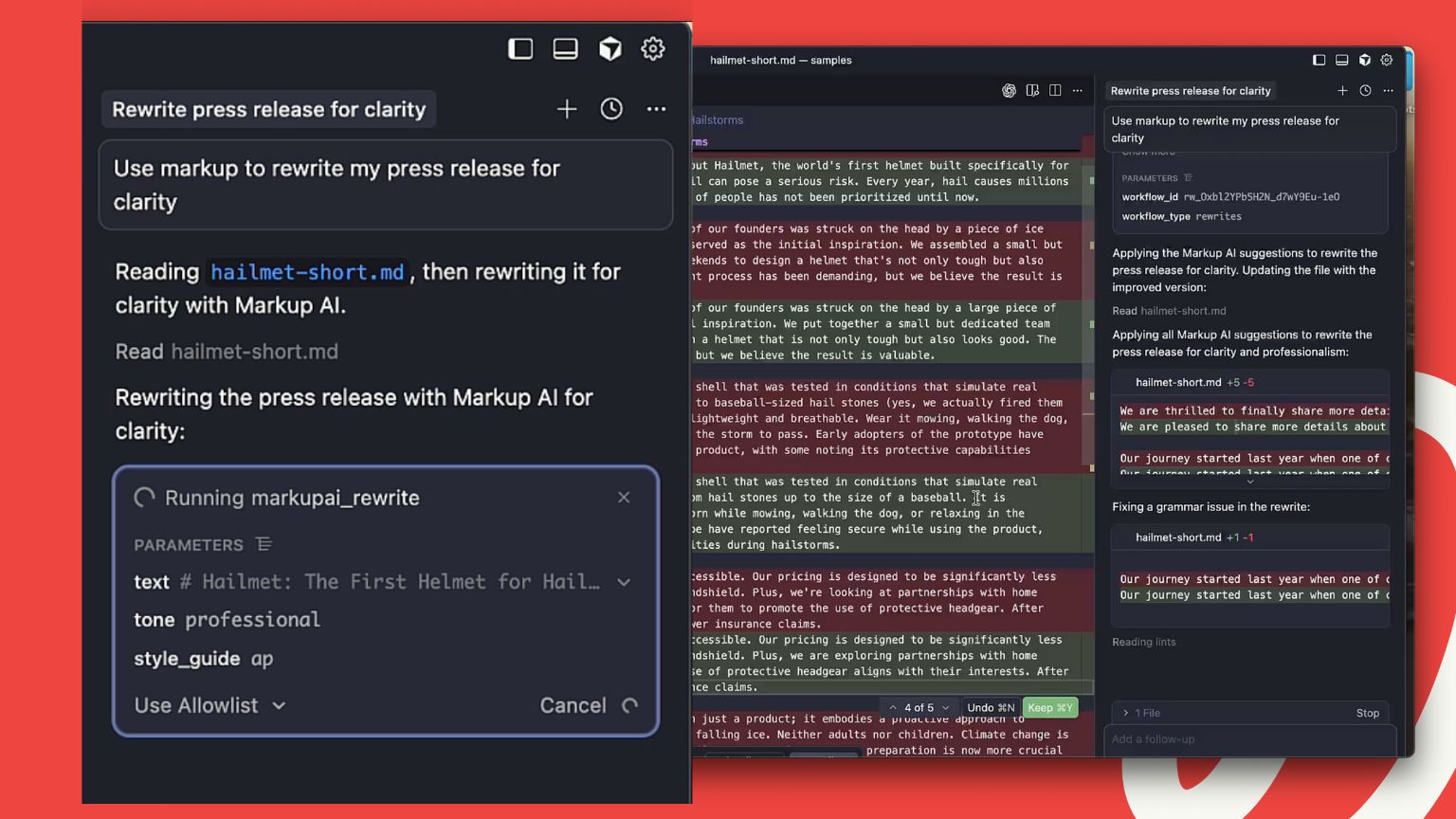
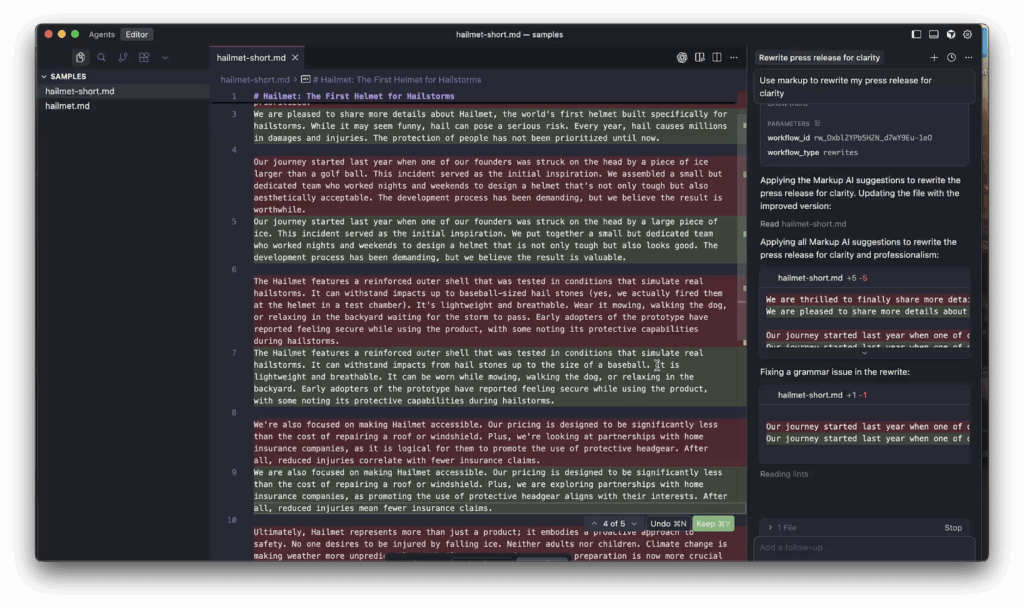
To show just how powerful this is, our video walkthrough uses the example of rewriting a press release. The Cursor agent, powered by Markup AI, analyzes the text and instantly identifies areas for improvement to make it clearer and more impactful. It’s an amazing demonstration of turning messy, jargon-filled sentences into something anyone can understand.
But this isn’t just for press releases. This is for any developer who believes that communication is a core part of their job. It’s for ensuring your API documentation is so clear that new users can get started without a single support ticket. It’s for making your open-source project’s documentation so compelling that it attracts new contributors.
In today’s world, your code doesn’t speak for itself. It needs clear, precise, and effective communication to support it. The combination of Cursor and Markup AI finally makes that possible, turning your editor into the single source of truth for both your code and your content.
If you’re ready to streamline your workflow and elevate the quality of your written work, you have to see this integration in action. Check out the video, get yourself set up, and get ready to change the way you write — forever.
Why Cursor and Markup AI create a better developer workflow
By integrating Markup AI into Cursor, developers can:
- Eliminate repetitive review loops
- Reduce back-and-forth with marketing or editorial teams
- Ensure documentation quality is high before pull requests
- Maintain a single source of truth for both code and content
The combination of Cursor and Markup AI creates a streamlined, productivity-focused environment that supports both development and communication excellence.
Frequently Asked Questions (FAQs)
How does Markup AI work inside Cursor?
Markup AI integrates with Cursor through the Markup Content Platform (MCP). Developers can check, score, and rewrite content directly inside their editor without switching tools.
Why should developers care about documentation quality?
Clear documentation helps users understand APIs, libraries, and tools faster. High-quality documentation reduces support requests and improves developer adoption.
Why is documentation quality important for APIs and developer tools?
Clear, structured documentation reduces support requests, improves adoption, and ensures users can successfully implement software or APIs.
How does Markup AI help developers improve technical writing?
Markup AI automatically checks for style and terminology compliance, scores content quality, and suggests rewrites to improve clarity, tone, and brand alignment.
Last updated: May 5, 2026
Tony Blank
Continue reading

Markup AI Expands Its AI Content Editor to the Tools Marketing Teams Already Use
 •
September 9, 2026
•
September 9, 2026

How to Optimize Content for AI Search Engines
•
September 2, 2026

How to Enforce Technical Documentation Quality Inside Heretto
 •
August 31, 2026
•
August 31, 2026