
Markup AI and Kiro: Checking Structured Content Quality
 •
November 10, 2025
•
November 10, 2025
Key takeaways:
- Integrating Markup AI directly into the Kiro editor ends the painful, slow review cycles between writers and editors, letting you fix structured content quality issues on the spot.
- Markup AI acts like an expert editor sitting next to you, providing real-time suggestions and rewrites to ensure your technical content meets the highest standards for clarity, style, and brand voice.
- Go beyond basic grammar. Markup AI lets you programmatically check, score, and rewrite content against your company’s specific terminology, style guides, and compliance rules.
- Connecting Markup AI to Kiro is a simple, one-time setup that unlocks a powerful workflow, turning your editor into an intelligent content creation environment.
- This integration is a game-changer for anyone working with content in codebases, like technical documentation, static sites, or even README files, ensuring consistency and quality at scale.
Why structured content quality matters in docs-as-code
Hey there, I’m Tony from Markup AI, and I want to talk about something I’m incredibly excited about. It’s a workflow that bridges a gap many of us in the technical content world have been struggling with for years.
If you’re a technical writer, a developer who writes docs, or anyone managing content that lives alongside code, you know the drill. You write your draft in your preferred editor, then begins the tedious cycle of review. You export it, send it to a stakeholder, get feedback in a separate document, manually implement the changes, and repeat. Each round introduces delays and the potential for inconsistencies to slip through. What if you could enforce high editorial standards before the content ever leaves your editor?
That’s not a hypothetical question anymore. By integrating Markup AI directly into an editor like Kiro, we’re changing the game. We’re turning your content development environment into a space where you can’t only write but also ensure that what you’re writing is accurate, clear, on-brand, and uses the correct terminology in real-time. Let’s dive into how this works and why it’s such a big deal.
What is Kiro and why use it for structured content?
Before we get into the magic of the integration, let’s talk about the environment. For those who aren’t familiar, Kiro is a specialized editor designed for people who work with “docs-as-code.” Think of it as the perfect workspace for crafting content that lives in developer ecosystems. This includes things like technical documentation for a product, the content for a static website built with a generator, or even the essential README files in a GitHub repository.
Developers have long had powerful Integrated Development Environments (IDEs) that help them write better code with features like linting, auto-completion, and real-time error checking. Kiro brings that same level of sophistication to the content creation process. It understands that your words are just as important as the code they sit next to. It’s designed to streamline the workflow for writers who are comfortable in a technical environment, removing the friction of using clunky word processors that are disconnected from the codebase.
How Markup AI ensures content quality in real-time
So, if Kiro is the perfect workshop for building your content, Markup AI is the expert inspector for structured content quality who works right alongside you. At its core, Markup AI provides content quality agents that ensure your writing meets your organization’s unique standards. It’s built on a simple but powerful principle: Check, Score, and Rewrite.
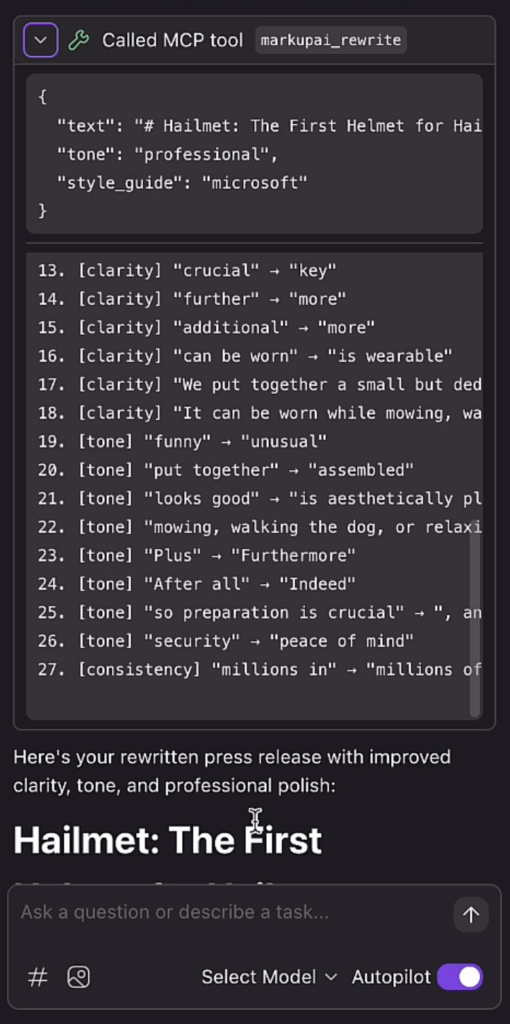
Let me break that down:
- Check: Markup AI scans your text against a set of predefined rules. But these aren’t just generic grammar rules. We’re talking about your company’s specific style guide. Should you use “sign in” versus “login”? Is a certain feature name always capitalized? Is there a piece of outdated terminology you need to avoid? Markup AI checks for all of it.
- Score: After checking the content, it gives you an objective score. This isn’t about passing or failing; it’s about providing a clear, data-driven measure of your content’s quality and compliance. This is amazing for maintaining consistency across a large team of writers or an entire documentation portal. You can see at a glance if a piece of content meets the required threshold for publication.
- Rewrite: This is where it gets really powerful. Markup AI doesn’t just tell you what’s wrong; it helps you fix it. Our Content Guardian Agents℠ provide intelligent suggestions or even rewrite entire sentences and paragraphs to be clearer, more concise, or better aligned with your brand’s tone of voice. It’s like having an experienced editor on call, ready to help you polish your work instantly.
Markup AI is an API-first platform that allows you to plug this intelligence into any tool your team uses, which brings us to the Kiro integration.
Step-by-step: Integrate Markup AI with Kiro
Step 1: Connect Markup AI MCP server to Kiro
In your Kiro settings, point it to your Markup AI instance by providing a destination and your unique API key.
Step 2: Write your first draft in Kiro
Your draft can be anything: technical docs, static site content, or README files.
Step 3: Use Markup AI to check content
Tell Kiro to use Markup AI to analyze your content based on the rules you’ve configured.
Step 4: Review Scores and Suggestions
See where improvements are needed. Evaluate compliance and style consistency.
Apply Rewrites Instantly
Content Guardian Agents℠ will polish sentences and paragraphs in real-time. The improved text appears directly in your editor.
Let’s walk through a practical example
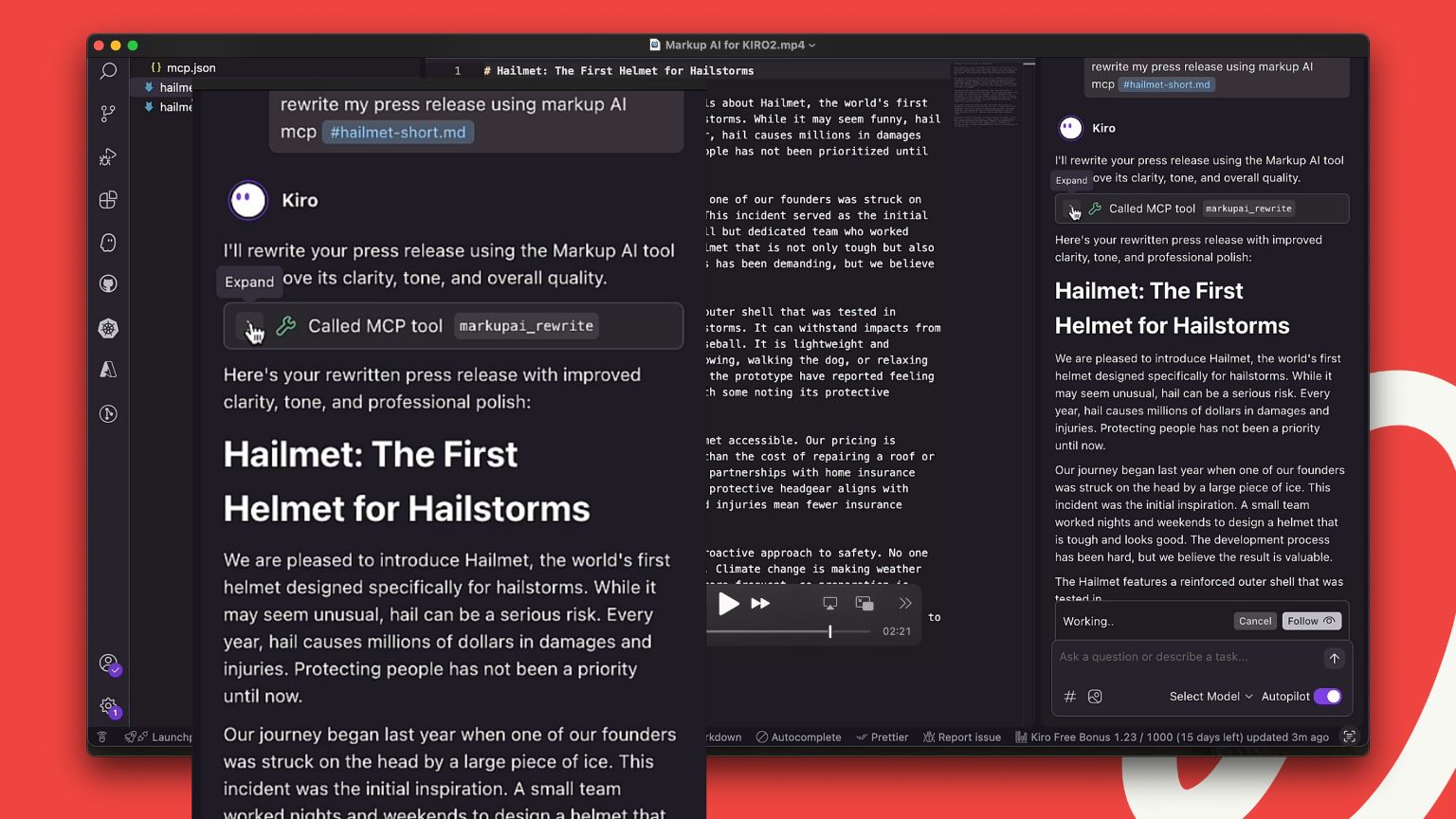
Imagine you’re writing a press release or a new product announcement right inside Kiro. You’ve finished your first draft, but you’re not sure if the tone is quite right or if you’ve used the correct, officially-approved terminology for a new feature.
Instead of exporting it and starting a review cycle, you can now simply tell Kiro to use Markup AI to rewrite it. In seconds, our agent analyzes the content based on the rules you’ve configured. It might tighten up the language, fix a style guide violation, and swap out a weak phrase for a stronger, more confident one. The improved text appears right there in your editor. You get instant feedback and a better draft without ever breaking your flow.
Benefits for technical writers and developers
For technical writers, this solves so many chronic headaches:
- No more digging through a 100-page style guide to check a rule.
- No more inconsistent terminology across thousands of pages of documentation.
- No more waiting days for feedback on a simple draft.
- You have an automated, intelligent system ensuring quality and consistency are built into the workflow from the very beginning.
This real-time feedback loop is a complete game-changer. It transforms the writing process from a solitary act followed by a painful review into a dynamic, interactive experience. You’re empowered to get it right the first time, dramatically speeding up content creation and ensuring that every piece of content that leaves your desk is polished, professional, and perfectly on-brand.
If you’re ready to see this in action, I highly recommend watching the walkthrough video we put together. It shows the step-by-step setup and a live demonstration of how it all works. It’s one thing for me to tell you about it, but it’s another to see it transform a piece of content in just a few clicks. Stop wrestling with your content and start empowering your workflow.
Frequently Asked Questions (FAQs)
How does Markup AI integrate with Kiro?
Connect the MCP server to Kiro using a one-time API key setup.
Can Markup AI rewrite entire documents automatically?
Yes, Content Guardian Agents℠ provide intelligent rewrites for sentences or full sections.
Does Markup AI work with any editor?
It’s API-first, so it can be integrated into other tools, but Kiro is optimized for docs-as-code workflows.
Last updated: May 5, 2026
Tony Blank
Continue reading

A Marketer’s Guide to Managing AI-Generated Content for Search
 •
August 20, 2026
•
August 20, 2026

Introducing Link Integrity: Verify Every Link Before You Publish
 •
August 19, 2026
•
August 19, 2026

An Enterprise Guide to Enforcing Your AI Content Policy
•
August 19, 2026